
- AstStore
Advantage Bluebeam Sapphire Partner
Fire & Safety Plans | Revit 3D Modelling & Documentation | Building Surveys/As Built Drawings | AutoCAD Residential, Engineering & General Drawings
- Pricing Plans
Bluebeam Products
Basic
For simple markups, document management and collaboration.
AU$410*
Per user, annually *Ex GST
- PDF creation, viewing, editing and markups
- Measure length and area (no perimeter)
- Participate in Studio collaborations
Core
For professional-grade markups, measurements and collaboration.
AU$500*
Per user, annually *Ex GST
- Specialised markup tools for 2D and 3D PDFs
- Measure perimeters, counts, angles, volume
- Overlay and batch compare drawings
- Initiate and manage Studio collaborations
- CAD plug-ins and workflows
Complete
For automating and accelerating your workflows.
AU$670*
Per user, annually *Ex GST
- Dynamic Fill measurements and markups
- Quantity Link with Microsoft Excel
- Advanced markup reporting
- Batch Link® hyperlink automation
- Batch Slip Sheet automation
- Batch signatures and seals automation
- Scripting commands for custom automations
- Previous version technical support for existing Revu 20 users
Max
For optimal efficiency and outcomes.
AU$890*
Per user, annually *Ex GST
- AI integration via MCP
- AI drawing reviews
- AI drawing comparisons
- AI multi-view Stitching
- Magic Markups: Duplicate as, Convert to, Offset
- Connected Studio Sessions with Revit®
Why ASt?
The only Bluebeam Sapphire Partner serving Australia and New Zealand: ASt consistently provides customers with superior customer service, technical support, training, customisations and great product knowledge.
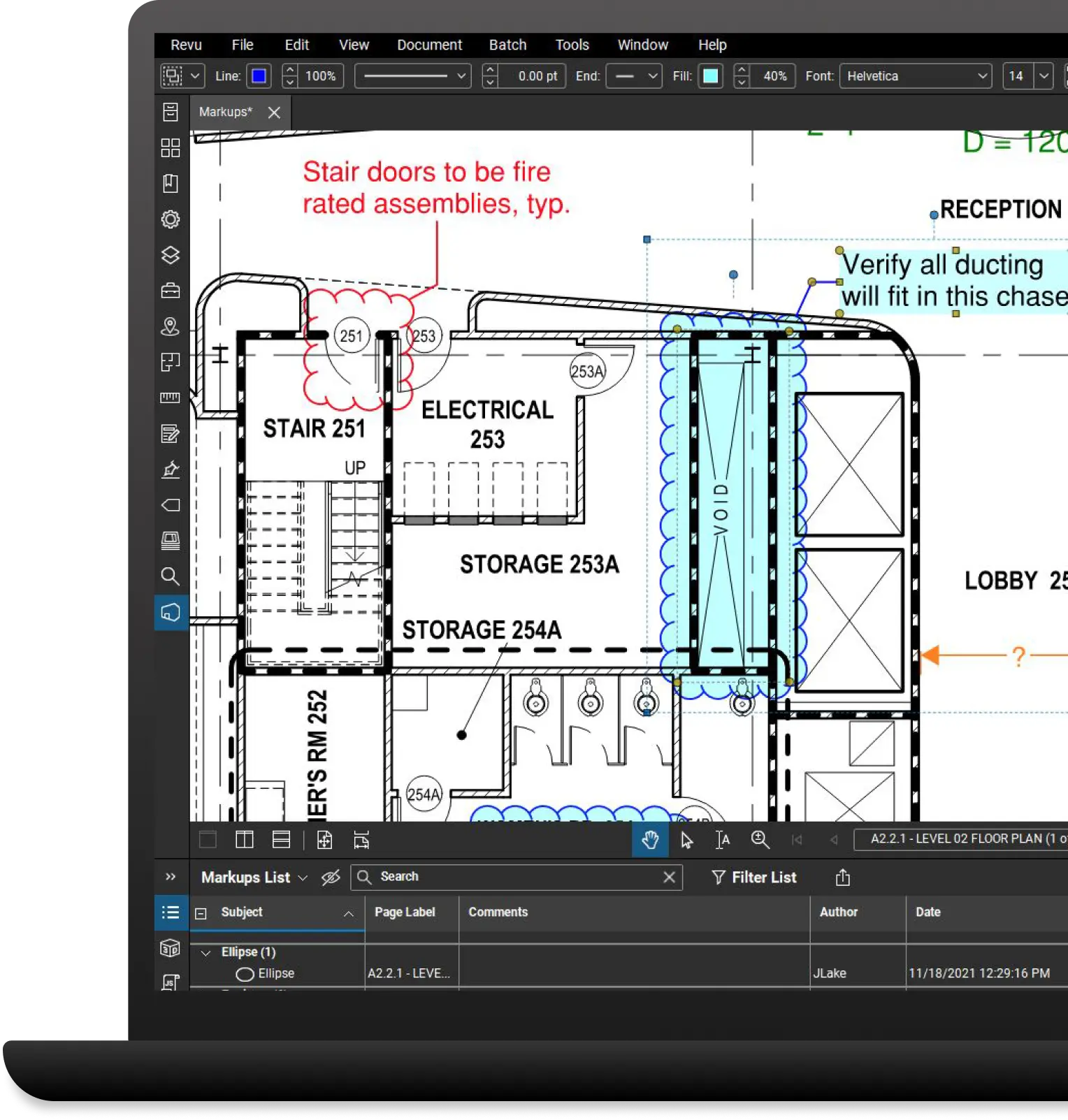
Why Bluebeam?
Bluebeam helps design and build professionals be more efficient, minimise errors and consistently deliver high-quality projects.
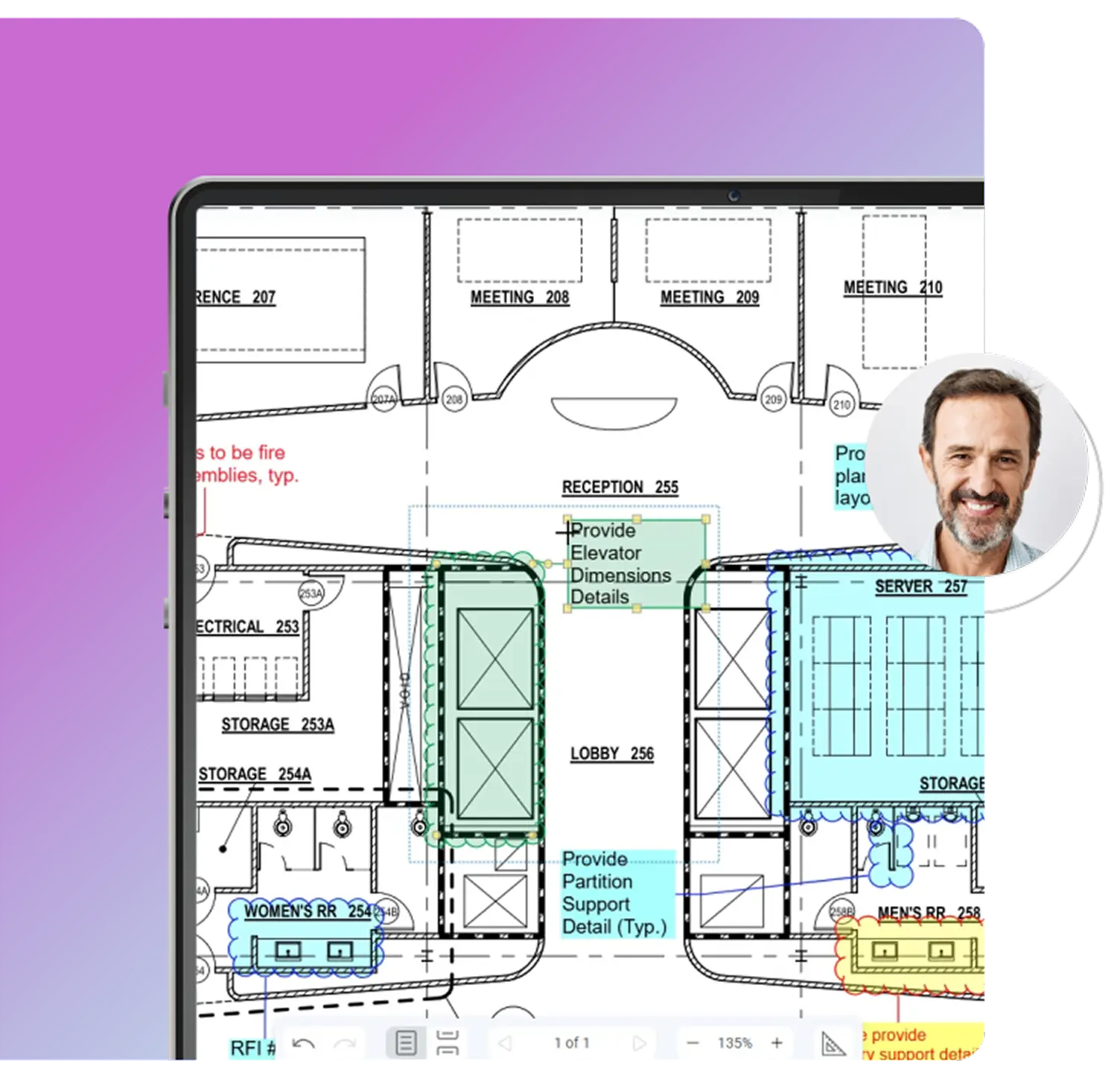
Communicate clearly
Show what you need to say with best-in-class markup and measurement tools.

Collaborate effectively
Work from a single source of truth across all phases of the project with Studio, our collaboration environment.
| Basics | Core | Complete | Max | |
|---|---|---|---|---|
| Annotate PDFs with markups such as customised text, shapes and stamps | ✓ | ✓ | ✓ | ✓ |
| Track and manage annotations | ✓ | ✓ | ✓ | ✓ |
| Save and reuse tools from the Tool Chest | ✓ | ✓ | ✓ | ✓ |
| Change the tool subject and add a comment in the Tool Chest | ✓ | ✓ | ✓ | ✓ |
| Set and remove scale from tool sets | ✓ | ✓ | ✓ | ✓ |
| Multiply markups | ✓ | ✓ | ✓ | ✓ |
| Make markups on captured photos | ✓ | ✓ | ✓ | ✓ |
| Assign markups to layers | ✓ | ✓ | ✓ | ✓ |
| Flatten PDF markups | ✓ | ✓ | ✓ | ✓ |
| Import PDF markups | ✓ | ✓ | ✓ | ✓ |
| Redact PDF content permanently | ✓ | ✓ | ✓ | ✓ |
| Translate markups to different languages | ✓ | ✓ | ✓ | ✓ |
| Create and add dynamic stamps to PDFs | ✓ | ✓ | ✓ | ✓ |
| 2D photo markups | ✓ | ✓ | ✓ | ✓ |
| Insert hyperlinks into documents and assign a hyperlink to a specific area | ✓ | ✓ | ✓ | ✓ |
| Create custom Markups List filters and save them for reuse | ✓ | ✓ | ✓ | ✓ |
| Embed 2D photos in markups with Capture | ✓ | ✓ | ✓ | ✓ |
| Embed 360° photos and videos in markups with Capture | × | ✓ | ✓ | ✓ |
| Calibrate tool sets to dynamically resize on PDFs with different scales/viewports | × | ✓ | ✓ | ✓ |
| Create and save markup legends to the Tool Chest | × | ✓ | ✓ | ✓ |
| Create, view and apply custom hatch patterns | × | ✓ | ✓ | ✓ |
| Create calibrated polygons, polylines, rectangles and ellipses using Sketch to Scale tools | × | ✓ | ✓ | ✓ |
| Create custom statuses | × | ✓ | ✓ | ✓ |
| Magic Markups: Duplicate markups as another type, such as a perimeter measurement copied as an area measurement | × | × | × | ✓ |
| Magic Markups: Convert markups to another type, such as a shape to a measurement | × | × | × | ✓ |
| Magic Markups: Offset markups to a specified distance from the original | × | × | × | ✓ |
| Basics | Core | Complete | Max | |
|---|---|---|---|---|
| Add or edit headers and footers | ✓ | ✓ | ✓ | ✓ |
| Combine separate documents to create a single PDF | ✓ | ✓ | ✓ | ✓ |
| Customise the size of new pages and resize existing pages | ✓ | ✓ | ✓ | ✓ |
| Embed file attachments | ✓ | ✓ | ✓ | ✓ |
| Erase and cut PDF content | ✓ | ✓ | ✓ | ✓ |
| Extract, delete, rotate and insert blank pages | ✓ | ✓ | ✓ | ✓ |
| Insert existing PDF pages | ✓ | ✓ | ✓ | ✓ |
| Preserve hyperlinks when combining and separating linked PDFs | ✓ | ✓ | ✓ | ✓ |
| View 3D PDFs | ✓ | ✓ | ✓ | ✓ |
| Create a table of contents from bookmarks | ✓ | ✓ | ✓ | ✓ |
| Reduce file size using preset and customisable fidelity options | ✓ | ✓ | ✓ | ✓ |
| Split documents without altering the source file | ✓ | ✓ | ✓ | ✓ |
| Create and edit form fields | ✓ | ✓ | ✓ | ✓ |
| Manually create bookmarks and page labels | ✓ | ✓ | ✓ | ✓ |
| Automatically create bookmarks and page labels | × | ✓ | ✓ | ✓ |
| Mark up 3D views | × | ✓ | ✓ | ✓ |
| Overlay pages to compare two or more PDF revisions | × | ✓ | ✓ | ✓ |
| Process colours | × | ✓ | ✓ | ✓ |
| Create, mark up and manipulate 3D PDFs from any IFC or U3D file | × | ✓ | ✓ | ✓ |
| Open, create and modify Sets and tag files to sort and navigate Sets documents | × | ✓ | ✓ | ✓ |
| Basics | Core | Complete | Max | |
|---|---|---|---|---|
| Launch multiple instances of Revu | ✓ | ✓ | ✓ | ✓ |
| Access and view recent PDFs | ✓ | ✓ | ✓ | ✓ |
| Drag document tabs out of interface and into their own windows across multiple monitors | ✓ | ✓ | ✓ | ✓ |
| Change markup properties and save for reuse | ✓ | ✓ | ✓ | ✓ |
| Create customisable keyboard shortcuts | ✓ | ✓ | ✓ | ✓ |
| Customise toolbars | ✓ | ✓ | ✓ | ✓ |
| Search local drives and pin files in categories | ✓ | ✓ | ✓ | ✓ |
| Transform scanned images into text-searchable PDFs using Optical Character Recognition (OCR) | ✓ | ✓ | ✓ | ✓ |
| Search for symbols with VisualSearch | × | ✓ | ✓ | ✓ |
| Basics | Core | Complete | Max | |
|---|---|---|---|---|
| Apply measurements of different scales in one PDF using viewports | ✓ | ✓ | ✓ | ✓ |
| Measure PDFs with basic measurement tools for length and area | ✓ | ✓ | ✓ | ✓ |
| Measure PDFs with advanced measurement tools such as perimeter, volume, angle and count | × | ✓ | ✓ | ✓ |
| Add formulas to custom columns for calculations | × | ✓ | ✓ | ✓ |
| Link real-time data from measurement markups to Excel worksheets with Quantity Link | × | × | ✓ | ✓ |
| Section off and fill drawing regions to generate markups, measurements and spaces with Dynamic Fill | × | × | ✓ | ✓ |
| Basics | Core | Complete | Max | |
|---|---|---|---|---|
| Access Studio Sessions and Projects from anywhere – on desktop, web and mobile | ✓ | ✓ | ✓ | ✓ |
| Collaborate in real time with markup tools in existing Studio Sessions | ✓ | ✓ | ✓ | ✓ |
| View and upload files to existing Studio Projects and Studio Sessions | ✓ | ✓ | ✓ | ✓ |
| Search Studio Project folders using keywords, filters and natural language queries. | ✓ | ✓ | ✓ | ✓ |
| Sync Studio Project files locally for offline editing | ✓ | ✓ | ✓ | ✓ |
| Integrations with other industry-leading software providers: Procore®, Newforma®, Autodesk Forma® and more in the Integrations Directory | × | ✓ | ✓ | ✓ |
| Create new Studio Projects and Studio Sessions | × | ✓ | ✓ | ✓ |
| Connected Studio Sessions with Revit | × | × | × | ✓ |
| Basics | Core | Complete | Max | |
|---|---|---|---|---|
| One-click PDF creation and batch directly from Microsoft® Office and Outlook® | ✓ | ✓ | ✓ | ✓ |
| Integrate with SharePoint® and ProjectWise® | ✓ | ✓ | ✓ | ✓ |
| Convert any Windows file to PDF or TIF, JPG, BMP, PSD, PNG, PCL, GIF, EMF and WMF files using the Bluebeam PDF printer | ✓ | ✓ | ✓ | ✓ |
| Export scanned PDFs as editable Word, Excel® and PowerPoint® documents | ✓ | ✓ | ✓ | ✓ |
| Task Link integration with GoCanvas | ✓ | ✓ | ✓ | ✓ |
| One-click 2D PDF creation and batch directly from AutoCAD®, Revit® and SolidWorks® | × | ✓ | ✓ | ✓ |
| One-click 3D PDF creation directly from AutoCAD, Revit and Navisworks® | × | ✓ | ✓ | ✓ |
| Convert Revit Rooms to Revu Spaces | × | ✓ | ✓ | ✓ |
| Batch convert files from AutoCAD, Revit and SolidWorks to PDF, TIF, JPG, BMP, PSD, PNG, PCL, GIF, EMF and WMF files | × | ✓ | ✓ | ✓ |
| Transfer hyperlinks from an AutoCAD file | × | ✓ | ✓ | ✓ |
| Import files with SHX fonts from AutoCAD | × | ✓ | ✓ | ✓ |
| Import sheet sets from AutoCAD | × | ✓ | ✓ | ✓ |
| Basics | Core | Complete | Max | |
|---|---|---|---|---|
| Add digital signature fields that require certified digital IDs | ✓ | ✓ | ✓ | ✓ |
| Track all digital signatures and certificates | ✓ | ✓ | ✓ | ✓ |
| Apply password protection and set permissions | ✓ | ✓ | ✓ | ✓ |
| Enable single sign-on (SSO) support | ✓ | ✓ | ✓ | ✓ |
| Basics | Core | Complete | Max | |
|---|---|---|---|---|
| Use Automatic Form Creation to convert PDFs into forms | ✓ | ✓ | ✓ | ✓ |
| Merge form data | ✓ | ✓ | ✓ | ✓ |
| Apply scale to multiple sheets simultaneously | ✓ | ✓ | ✓ | ✓ |
| Batch compare multiple drawing revisions | × | ✓ | ✓ | ✓ |
| Auto-Align Overlay & Compare | × | ✓ | ✓ | ✓ |
| Automatically create navigational hyperlinks across a specific group of documents using Batch Link® | × | × | ✓ | ✓ |
| Batch process hyperlinks for large document sets | × | × | ✓ | ✓ |
| Automatically insert new page revisions or replace current pages with new revisions across multiple documents using Batch Slip Sheet | × | × | ✓ | ✓ |
| Apply a digital signature and professional seal across a batch of multiple files | × | × | ✓ | ✓ |
| Implement scripting commands | × | × | ✓ | ✓ |
| AI integration via MCP | × | × | × | ✓ |
| Automated multi-view Stitching for one continuous view | × | × | × | ✓ |
| Smart Review: AI-powered drawing checks such as missing sheets, missing door or plumbing fixture tags and gridline consistency | × | × | × | ✓ |
| Smart Overlay: AI-powered drawing comparisons of sheet sets with cross-discipline variance reports | × | × | × | ✓ |
| Basics | Core | Complete | Max | |
|---|---|---|---|---|
| Generate and export a PDF summary of all markups in a file or across multiple files | ✓ | ✓ | ✓ | ✓ |
| Generate and export a CSV or XML summary of all markups in a file | × | ✓ | ✓ | ✓ |
| Track and generate reports on markups located in pre-defined customised regions | × | ✓ | ✓ | ✓ |
| Basics | Core | Complete | Max | |
|---|---|---|---|---|
| Upload files of any type to secure cloud document storage | ✓ | ✓ | ✓ | ✓ |
| View PDFs, update, delete and export files from cloud document storage | ✓ | ✓ | ✓ | ✓ |
| Annotate PDFs with markups such as customised text, shapes and vector pen | ✓ | ✓ | ✓ | ✓ |
| Collaborate in real time with markup tools on drawings and documents | × | ✓ | ✓ | ✓ |
| Save and reuse tools from the Tool Chest | ✓ | ✓ | ✓ | ✓ |
| Track and manage markups | ✓ | ✓ | ✓ | ✓ |
| Use and change markup statuses in the Markups List | ✓ | ✓ | ✓ | ✓ |
| Comment and reply | ✓ | ✓ | ✓ | ✓ |
| Basics | Core | Complete | Max | |
|---|---|---|---|---|
| Create new projects | × | ✓ | ✓ | ✓ |
| Upload and publish drawings | × | ✓ | ✓ | ✓ |
| Add drawings to map view for geolocational insights | × | ✓ | ✓ | ✓ |
| Invite project partners to collaborate | × | ✓ | ✓ | ✓ |
| Integrate with OneDrive®, SharePoint, Dropbox™, Box, Google Drive™ and Egnyte™ | × | ✓ | ✓ | ✓ |
| Create, respond to, forward RFIs and post RFIs on drawings and map view | × | ✓ | ✓ | ✓ |
| Export RFI logs | × | ✓ | ✓ | ✓ |
| Create defect items, comment, add photos and post defect items on drawings and map view | × | ✓ | ✓ | ✓ |
| Change defect item status and export defect report | × | ✓ | ✓ | ✓ |
| Import and export submittal log | × | ✓ | ✓ | ✓ |
| Create, review and respond to submittals | × | ✓ | ✓ | ✓ |